Features
From quote to shipment. One platform.
Accuracy Quoting isn't just quoting software. It manages the full lifecycle of a fabrication job, from the first DXF upload through production and out the door. Here's everything inside.
Accuracy Quoting isn't just quoting software. It manages the full lifecycle of a fabrication job, from the first DXF upload through production and out the door. Here's everything inside.
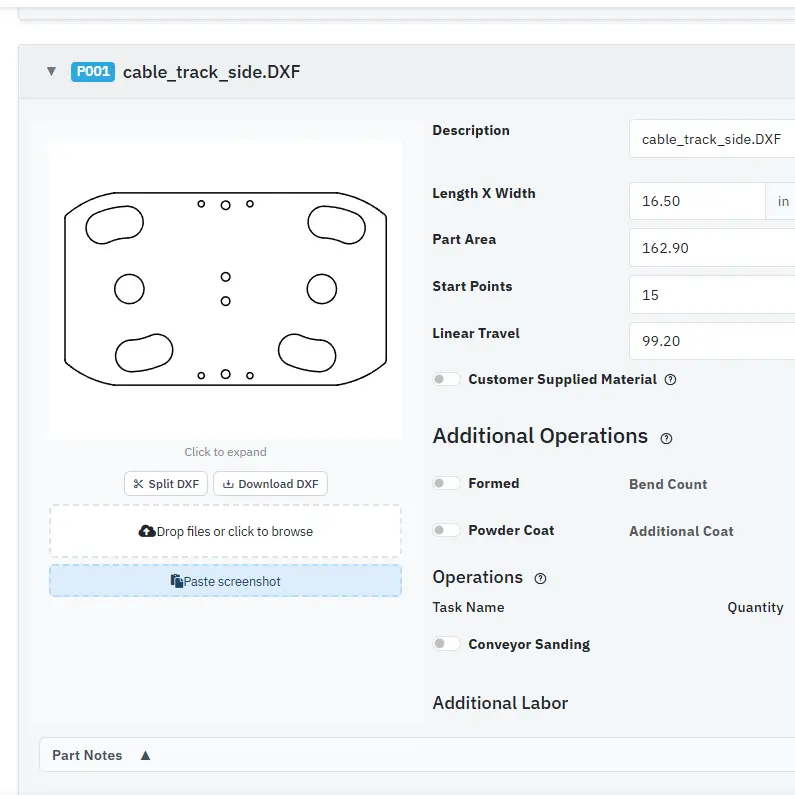
Upload DXF files and the platform does the measuring. Cut lengths, pierce counts, part dimensions, and material area are calculated automatically. If a customer sends a full drawing with title blocks, bend lines, or holes that don't need to be cut, use the built-in DXF extract tool to pull out just the profiles you need.
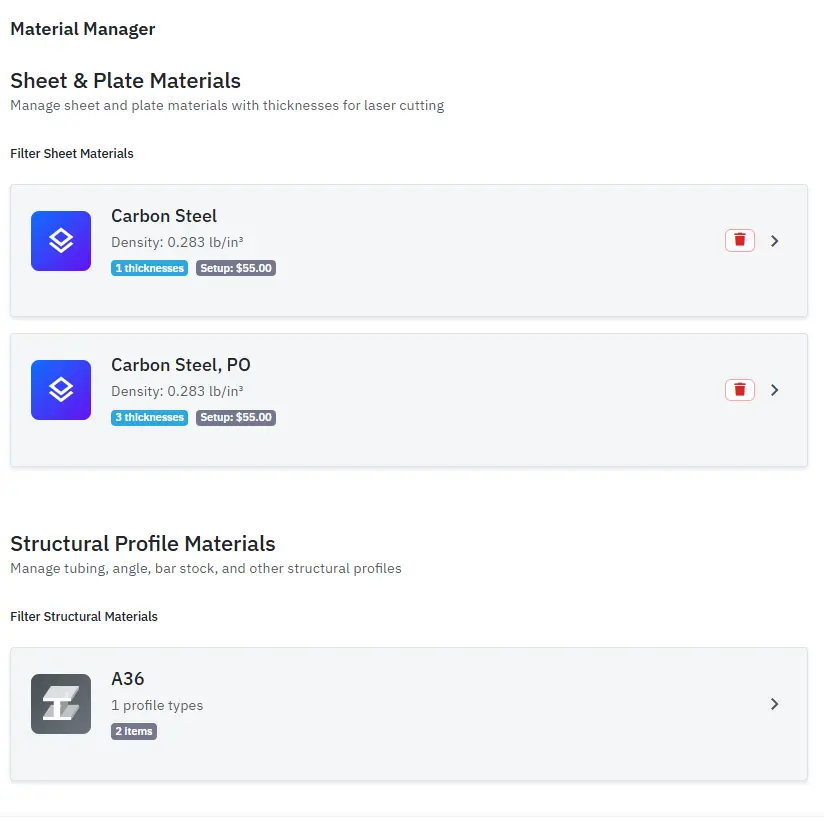
Set up your materials, thicknesses, and gas costs per machine once. Every quote pulls from your real pricing so estimates stay consistent no matter who builds the quote. Supports steel, aluminum, stainless, and any custom material your shop works with.
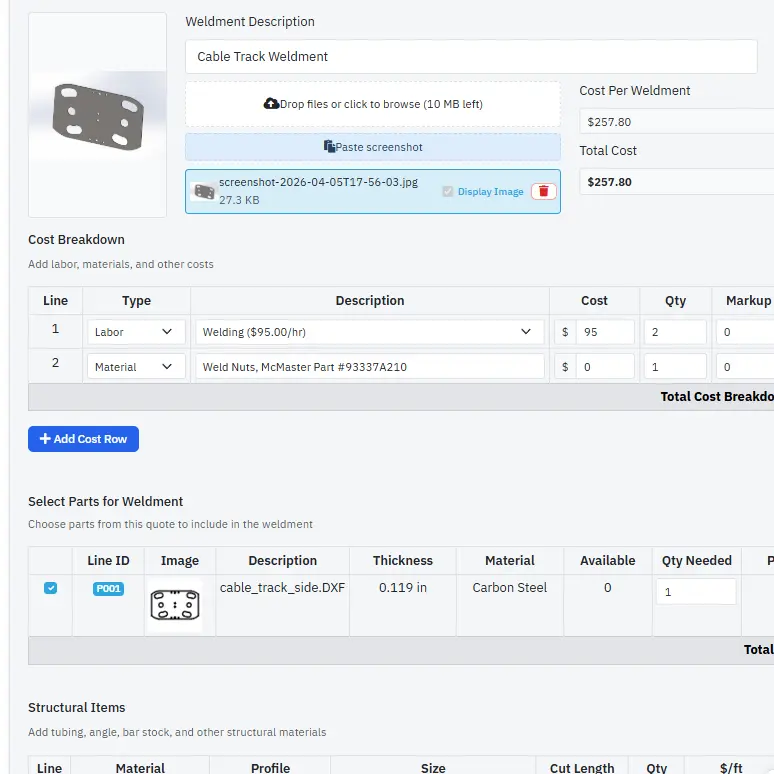
Group laser-cut parts into assemblies and add structural profiles like tube, angle, and flat bar with built-in cut lists. Pull in DXF cut parts directly from the same quote so material costs stay linked. Add assembly labor, secondary operations, and produce detailed cost breakdowns for complex fabrication jobs.
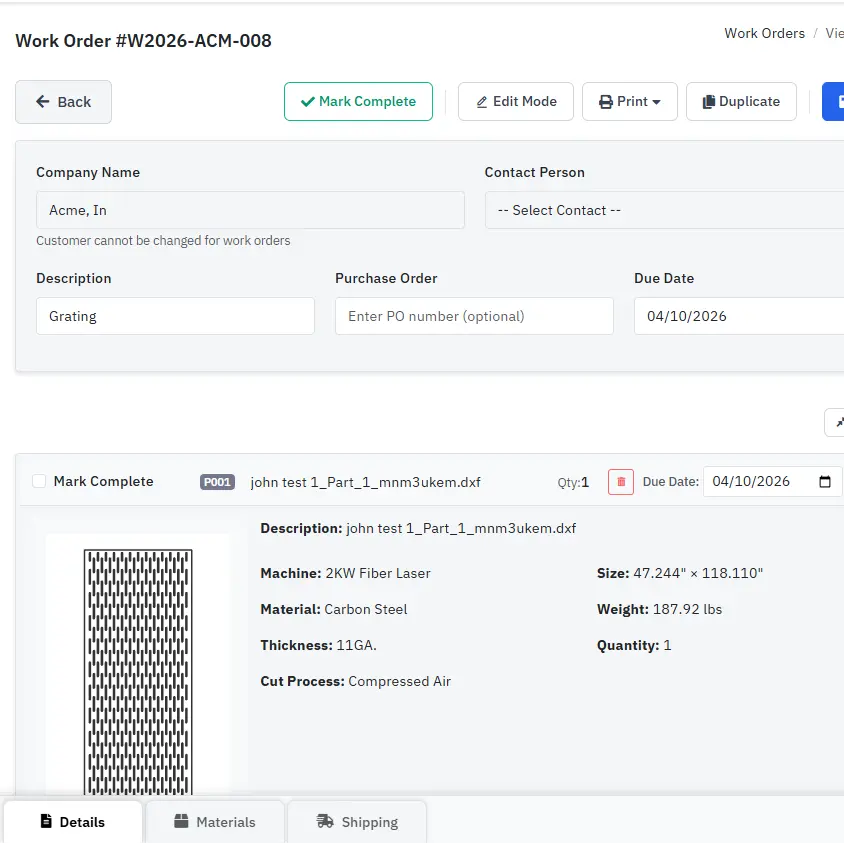
Convert an accepted quote into a work order and everything the job needs comes with it: cut files grouped by material and thickness, structural cut lists, and labor hours. Work orders have a dedicated tablet and phone view, so when a print or STEP file gets revised the floor sees the current version within seconds — nobody cuts to last week's drawing.
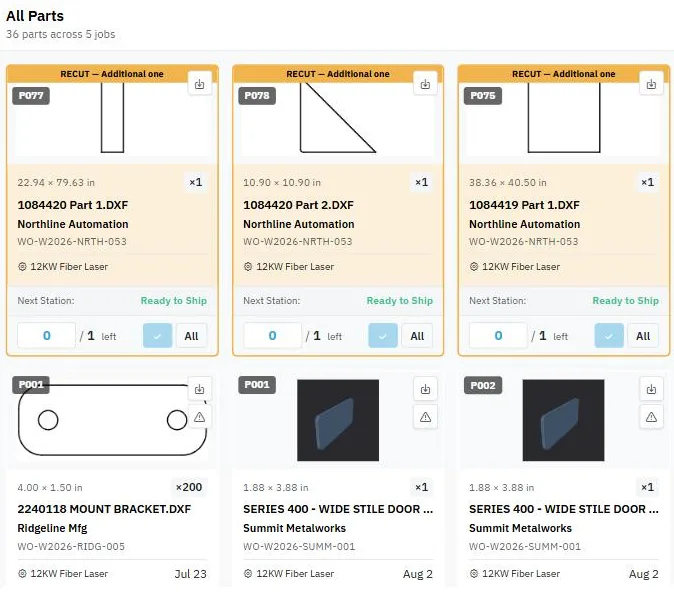
Work orders tell you what to build. The production queue tells you where it is. Every job lands on a live station board: cutting, forming, fabrication, finishing, shipping, plus any station you add yourself (and a tube cutting station with the CNC Tube Cutting module). Operators mark pieces done and advance them to the next station from a tablet on the floor. Parts arrive grouped the way the work is actually staged: by material and thickness at the laser, by color at powder coat, by customer at shipping.
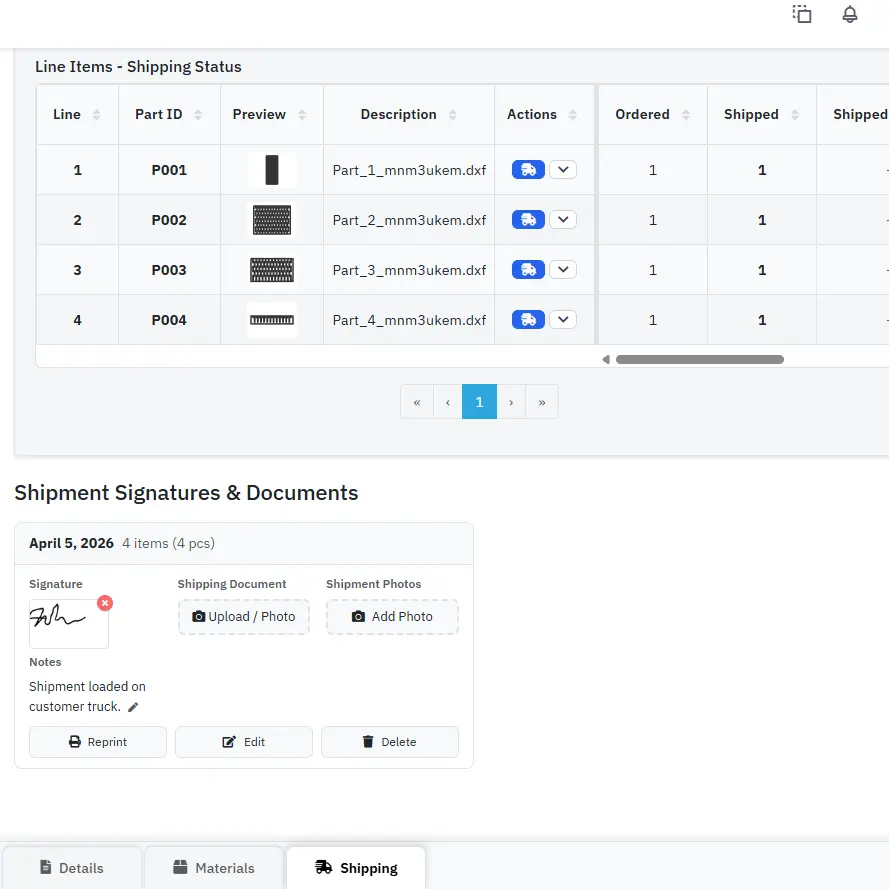
Create shipments directly from work orders. Capture customer signatures on delivery and attach photos of the loaded order. If something comes up later, you have a complete record of what was shipped and when it was received.
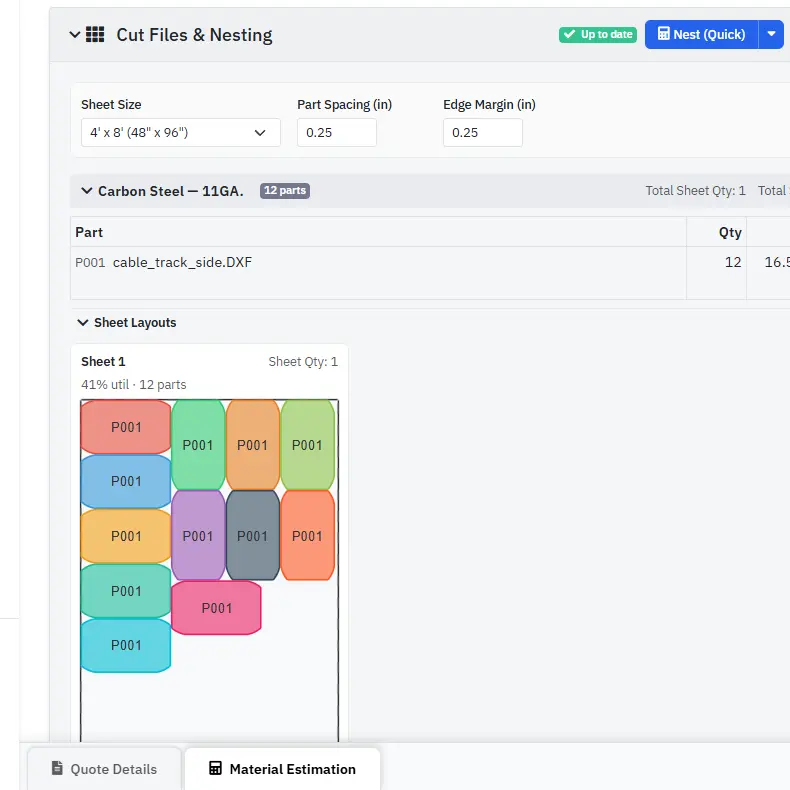
Nesting is included with Quoting. Get sheet layout calculations on your quotes to estimate material usage before you cut. When the job is ready for production, download every DXF in one click. Each file is automatically prefixed with thickness, material, and quantity so the filenames match exactly what was quoted. Ready for the machine.
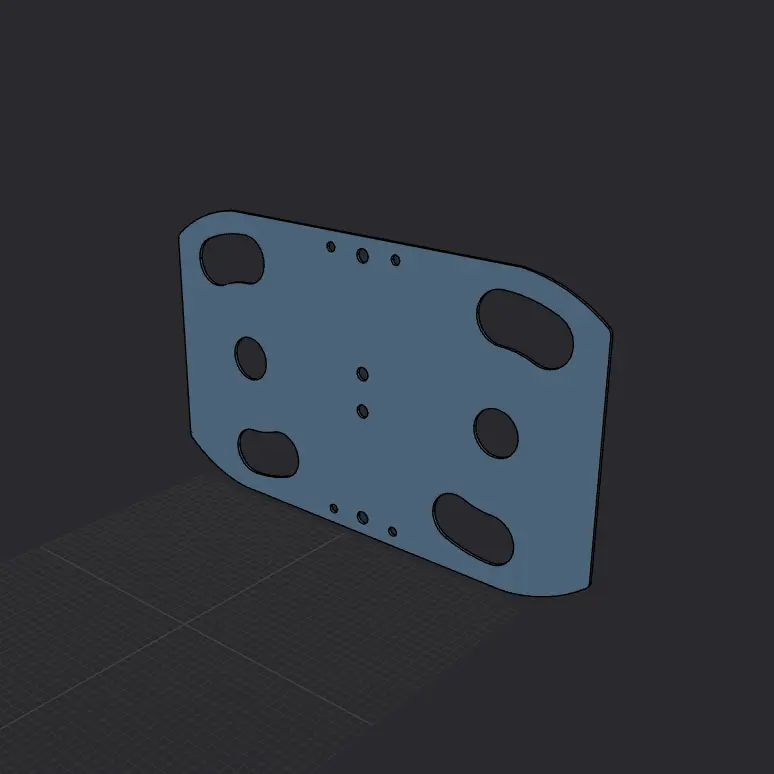
The 3D STEP viewer is included with Quoting. Open and measure STEP models (edges, faces, and points) directly in the platform without separate CAD software, on your quotes and, with Work Orders, on your work orders. Attach PDF prints and reference images to any part so your team and view-only users can see exactly what needs to be built without digging through email.
Bill finished work orders in your QuickBooks Online accounting software. Needs Work Orders, because invoices are made from completed work orders.
Intuit and QuickBooks are registered trademarks of Intuit Inc. Accuracy Quoting has not been approved by Intuit.
STEP to Flat Pattern and CNC Tube Cutting are available now, and both are included in your free trial. $7/month each, and neither requires Work Orders.
Quote formed parts and whole assemblies straight from the 3D model. Drop a customer's STEP file on a quote and the app finds each part, detects the bends, and unfolds it into the flat pattern you cut. A multi-body STEP comes in as one assembly with a line per part.
Add it by October 31, 2026 and your first 2 months of it are free, applied automatically.
Flat patterns are calculated, not measured. Verify a first part before every production run.
Quote tube and structural parts cut on any CNC tube cutting machine. Parts can come straight from STEP models, and the app recognizes the tube and its size.
Add it by October 31, 2026 and your first month of it is free, applied automatically.
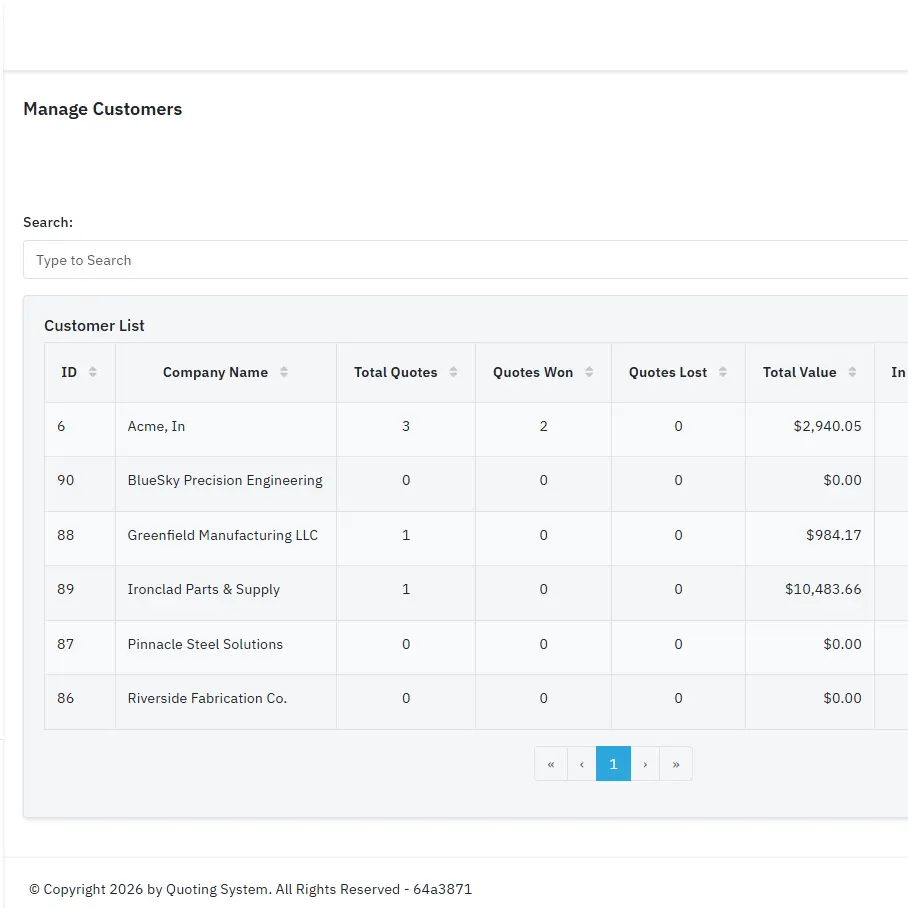
Keep a full customer database with quote history, contact details, and documents like POs, drawings, and specs. Pull up past work instantly, duplicate previous quotes, and keep everything organized by customer.
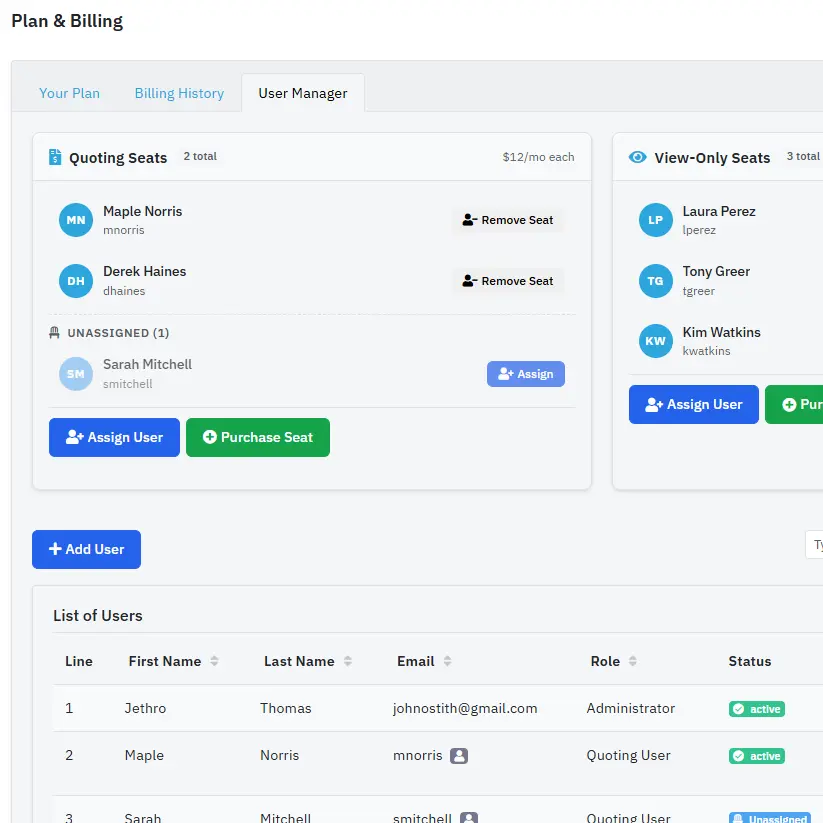
Add your team with role-based permissions. Quoting users build and edit quotes. View-only users (with Work Orders) can see work orders, shipping, and attached documents without making changes. Everyone works from the same data, from any device.
And new features are shipping regularly. This platform is actively built and used in a real fab shop every day.
Start your free trial with Quoting, STEP to Flat Pattern, and CNC Tube Cutting included. No credit card required.